Two-way conversion
Press again to convert it back.
 HanToggle
简体 繁體
One hotkey to switch Chinese scripts on Mac.
Select Chinese text in most Mac apps and convert it in place.
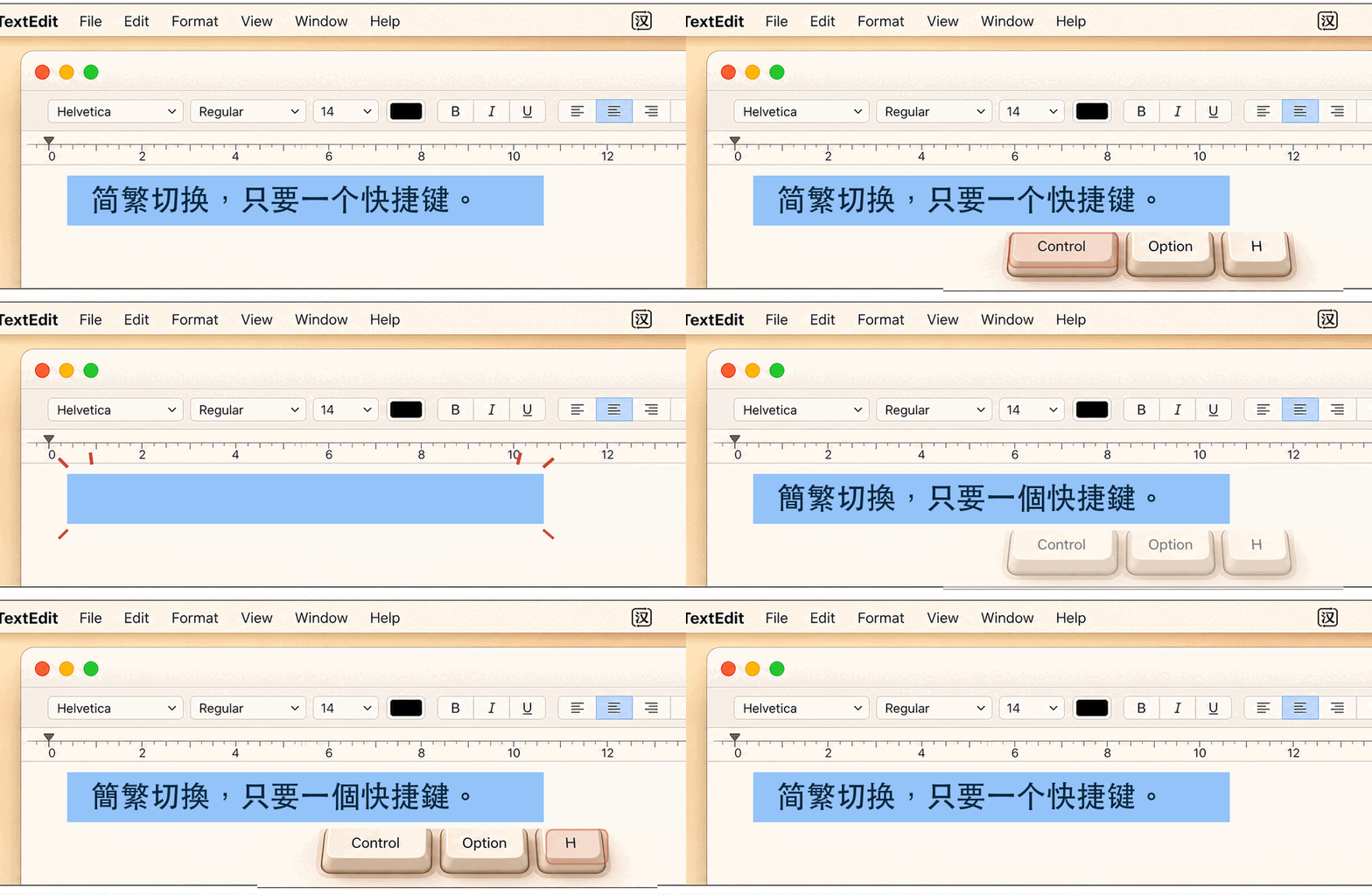
Press again to convert it back.
Restored after conversion whenever possible.
Supports Apple Silicon and Intel Macs.
Drag HanToggle to Applications.
Enable Accessibility for HanToggle.
Press your configured hotkey.
Privacy
Conversion happens locally. HanToggle has no analytics, telemetry, or network conversion and does not upload or log selected or converted text.
Free and open source
HanToggle is free to download and MIT-licensed. The source is available on GitHub.
Do not send private selected text, clipboard contents, credentials, tokens, keys, or personal data in support messages.
FAQ
HanToggle is a macOS menu-bar utility that converts selected Simplified or Traditional Chinese in place with one global hotkey.
Select the text and press your HanToggle hotkey. The converted text replaces the selection; press again to convert it back.
No. Conversion runs on your Mac with no network conversion, analytics, or telemetry, and HanToggle does not log selected or converted text.
HanToggle requires macOS 13 or later. Release builds support Apple Silicon and Intel Macs.
Yes. HanToggle is free to download and open source under the MIT License. The DMG and source code are published on GitHub.